SDD 10 - BMAD Method: Lab Route
SDD Learning · Previous: BMAD Method starter guide · Next: Superpowers starter guide
Levels 2 to 6 with BMAD Method. Match planning depth to the work: one bounded change goes straight to Build, and the levels are where you review it. Read the BMAD Method starter guide first: it explains the tool, and this page applies it to the shared lab.
Walk the Matt Pocock Skills lab route first if you have not: it is the baseline this route is compared with.
bmad executable on your shell PATH. Invoke skills using your tool's picker or supported syntax.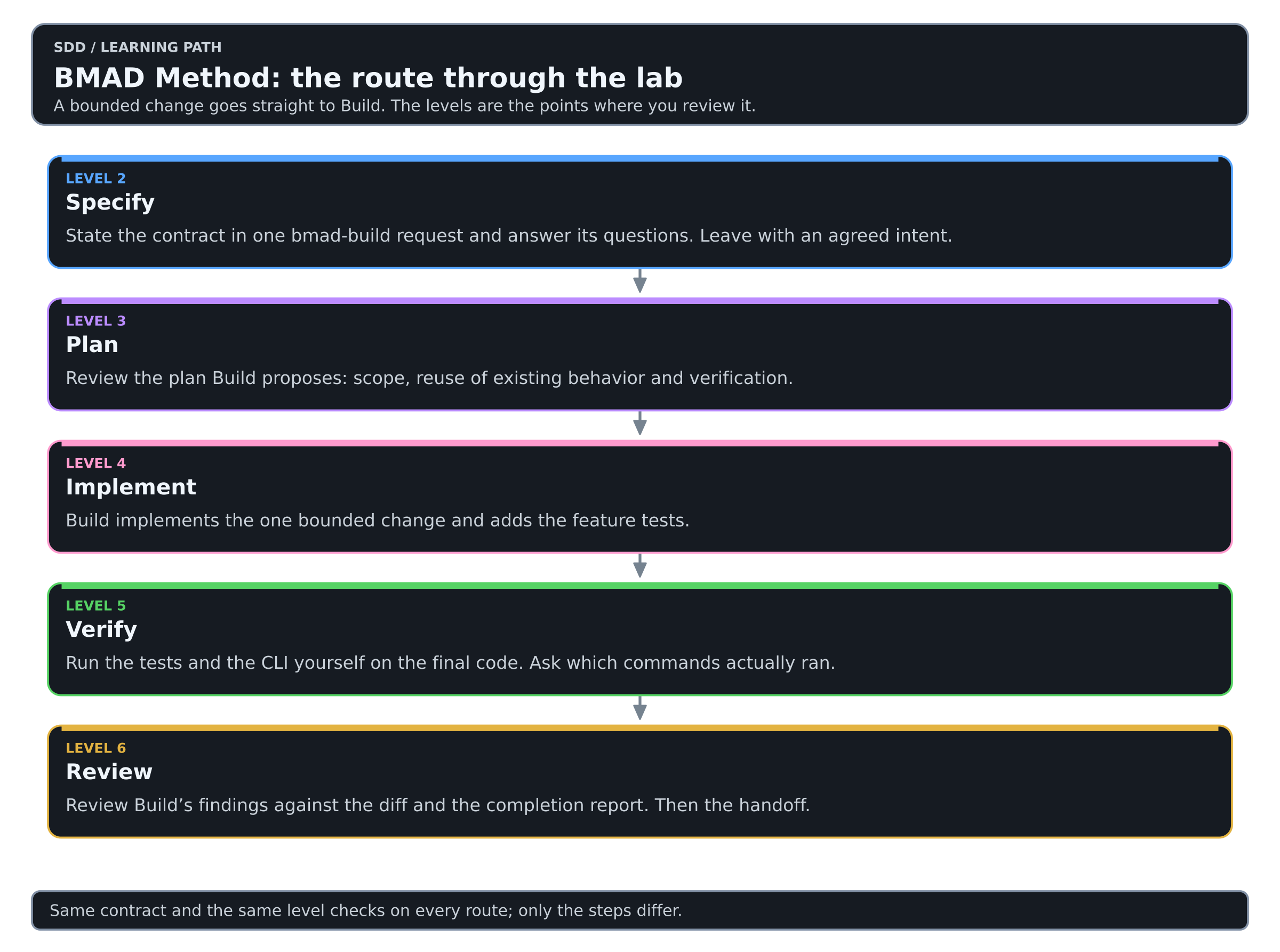
Colors mean the same thing in every diagram of this Learning: see the color key.
The route at a glance
| Level | What you use | What it leaves behind |
|---|---|---|
| 2 · Specify | One bmad-build request that states the contract | An agreed intent summary |
| 3 · Plan | Review of the plan Build proposes | A bounded approach with its verification |
| 4 · Implement | bmad-build implements | The change and its tests |
| 5 · Verify | Your own run of the tests and the CLI | Observed results on the final code |
| 6 · Review | Build's review findings and completion report | A decision and a handoff |
The contract, the acceptance criteria AC1 to AC7 and the level checks are the same on every route and are described in the lab. Only the steps differ.
Set up once
Download the starter lab, unpack it and run the baseline from a fresh copy of its doc-index-starter directory:
$ python3 -m unittest discover -v
$ python3 doc_index.py sample-docs
The four baseline tests pass and the CLI prints two filename/title rows. Install the skills in the lab directory as the starter guide describes; for this route bmad, bmod-core-tools, bmod-method, bmad-build and bmad-ticket are enough. Then complete the setup, in agent chat:
Use the bmad skill to run bmad setup for this project. Then run bmad status and explain the installed modules, their versions and the output location.
Record the installed version, the agent and the model in training/WORKSHEET.md.
Level 2 · Specify
Start a fresh agent chat and state the contract in one request:
Use bmad-build for one bounded change to this existing CLI. Add an optional --format json mode to the existing Markdown indexing CLI. Keep default text output byte-for-byte unchanged (AC1). JSON is an array of objects (AC2) with exactly the string fields file and title, sorted by filename (AC3). An empty directory returns [] (AC4). Unknown formats and missing directories fail with a nonzero exit status, a useful stderr message and empty stdout (AC5). Quotes and non-ASCII characters in titles survive JSON encoding and decoding (AC6). Keep the top-level-only scan and the title fallback (AC7). Use the Python standard library only. Do not add recursion, network access, a database or a web interface. Read the current code and tests first. Summarize the intent and ask about anything ambiguous before you plan.
Resolve the questions against the existing behavior. The intent summary is your contract on this route: check that it preserves the compatibility boundary and keeps the acceptance IDs. For a larger change, bmad-spec would record a durable contract first; this one does not need it.
Level 2 check: a partner can explain the promised behavior and the exclusions from the artifact alone.
Level 2 complete. You turned “add JSON” into a contract someone else can check. Good work: this is the step most people skip.
Level 3 · Plan
The build guide describes codebase investigation, planning, implementation and review within Build. When the workflow presents its plan, check scope and verification before continuing. Good investigation notices that sorting and title extraction already exist and should be reused.
| Output | Review question |
|---|---|
| Intent summary | Does it preserve the requested compatibility boundary? |
| Implementation approach | Does it reuse existing behavior? |
| Planned tests | Can they detect a changed default output and invalid JSON? |
Complete at least three rows of the worksheet's requirement-to-evidence table, one for compatibility and one for an error case.
Level 3 check: the plan identifies how AC1 will be preserved and checked.
Level 3 complete. Every criterion you care about now points to a task and a check. From here on you build what you have already decided.
Level 4 · Implement
Let Build implement the reviewed plan. Ask for one observable behavior at a time, with a relevant failing test before the change. A test that simply duplicates the implementation is weaker than one that invokes the CLI and checks the promised behavior.
Level 4 check: JSON output works, the original tests still pass, and there are new tests for the feature.
Level 4 complete. The feature exists and the old behavior is still there. Run it once more, just to see your JSON come out.
Level 5 · Verify
Run the commands yourself in the lab directory:
$ python3 -m unittest discover -v
$ python3 doc_index.py sample-docs
$ python3 doc_index.py sample-docs --format json
The default output should still be the original two tab-separated rows. The JSON should parse to this value; spacing is unimportant:
[{"file":"alpha.md","title":"Alpha"},{"file":"beta.md","title":"beta"}]The new tests should also cover an empty directory, an invalid format, a missing directory and a title containing quotes or non-ASCII text. Record the commands, the results and the revision in the worksheet. The independent checker in the trainer kit can be run against your directory.
Ask which commands Build actually ran and what remains unverified.
Level 5 check: the evidence is from the final code and every unmet criterion is visible.
Level 5 complete. You can show what ran and what it returned. Enjoy the passing run.
Level 6 · Review
Read Build's review findings and completion report against the actual diff: are the findings specific to this change, and which commands ran? Then have a second participant answer the handoff questions from the artifacts under _bmad-output and the repository.
| Handoff question | Evidence to point to |
|---|---|
| What did we agree? | Accepted behavior and exclusions |
| What changed? | The implementation diff and the bounded task |
| How was it checked? | Test command, result and checked revision |
| What remains? | A precise gap or next task |
If the next participant must reconstruct the entire chat to answer these questions, improve the durable record.
Level 6 check: the worksheet states accepted, incomplete or needs revision, says why, and points to what the next session must read.
Level 6 complete. You have walked the whole loop on this route. Take a moment to enjoy that before you go on.
Track checkpoint
Would the JSON flag need one Build or several stories? Justify your answer from the actual scope and dependencies. Identify the artifact a fresh implementation session should read.
BMAD Method lab route complete. You can now match planning depth to the work and hand a session exactly what it needs.
Compare with your baseline
Put this worksheet beside the one from the Matt Pocock Skills lab route. Which corrections did each route need, which artifacts would you keep, and what would a fresh session find first? The comparison says what to observe. The routes differ in emphasis, and one run is not a ranking.